Plantroid - the 3D plant model viewer for Android
What is plantroid?
Plantroid is a Android app with which you can view your Cadmatic 3D Dumps.
Plantroid is something that I toyed around with at the end of 2010. It is not a finished application as much as it is an intriguing technical demo, but as I though that someone could actually use this for some small or minor tasks I decided to share it with the community of Cadmatic users. The software is not made by Cadmatic Ltd. and thus not supported by Cadmatic, so don't bother Cadmatic support with your questions. Instead, you should direct your questions and feedback directly to me (see Author section below).
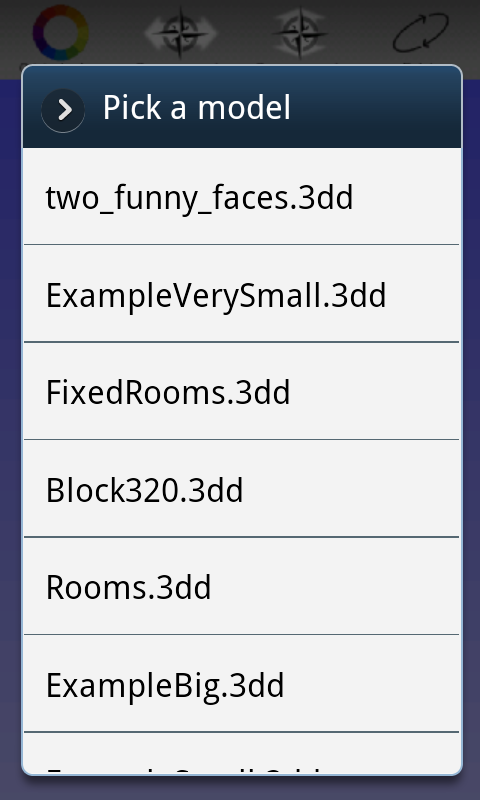
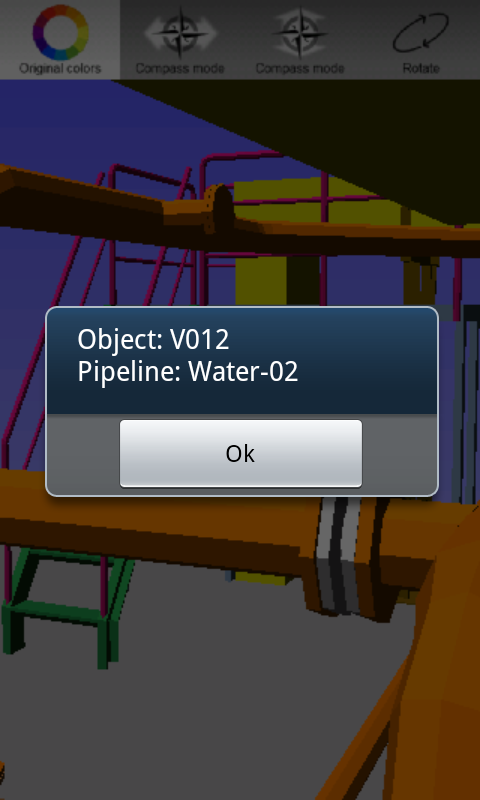
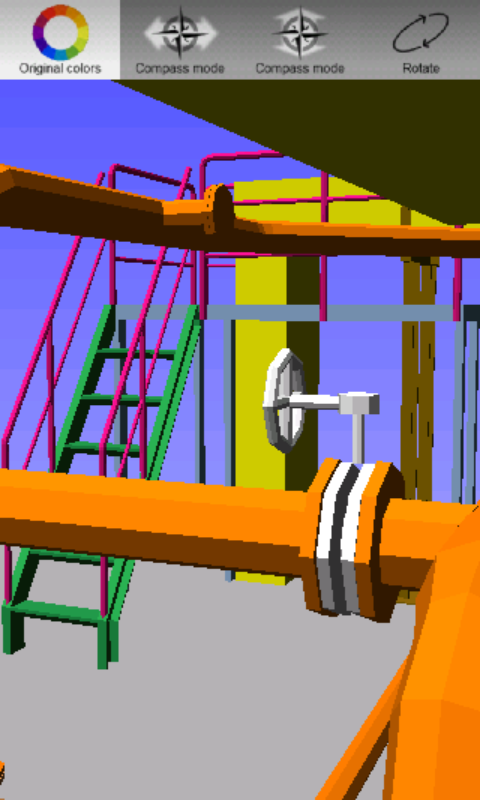
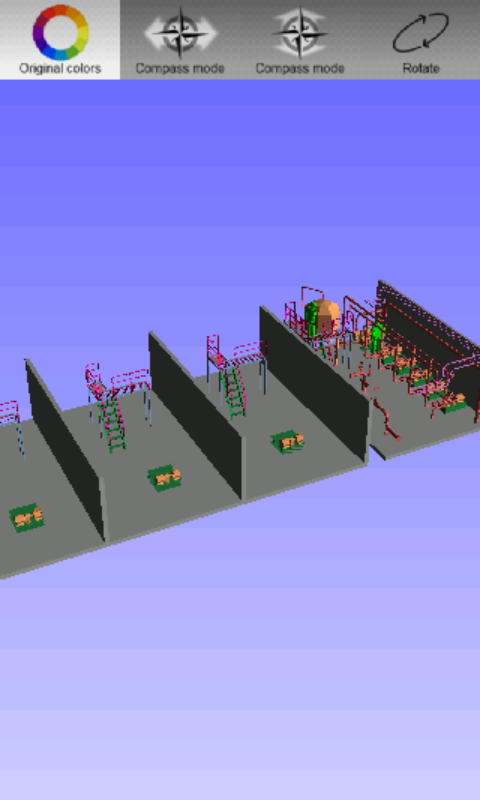
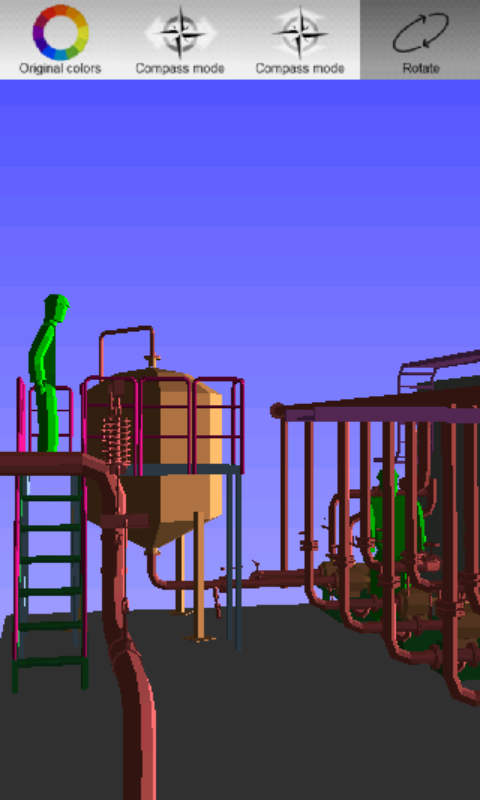
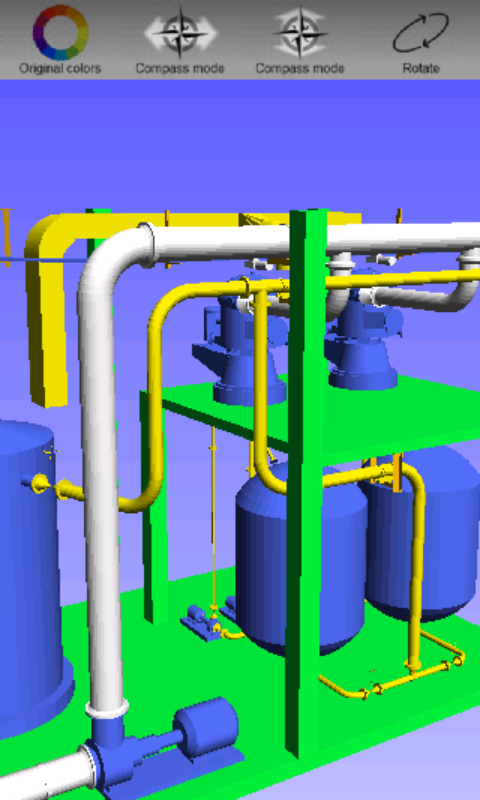
Screenshots
Features
- Loads .3dd files (Cadmatic 3D Dump files) generated by Cadmatic Plant Modeller. Only face sets are supported, so be sure to export the model as face set only!
- Moving and turning with one finger, turning with two fingers and panning with three fingers.
- Object's details can be shown by tapping it. Currently you get Position Id (vpo, ipo, nam), System Id (sid) and pipeline (pli).
- Uses different colors for different systems. Also the colors defined with rgb tag can be used ("Original colors"), but the rendering is significantly slower then.
- Compass mode (familiar from e.g. Google Sky Map) allows you to control the orientation of the camera in the model simply by pointing your phone to desired direction (cool but in this context quite useless, maybe I'll some day add GPS support to make this useful :)
- Very basic rotation of the model (veeery quickly built, but allows you to see the model, if you happen to lose it out of your sight. :)
Known problems and deficiencies
The program is build to be a quick techincal demo and I've spent altogether about 40 hours in programming it, so don't expect to see a professional quality application. With the models that you manage to load into it, it probably gives you quite optimal rendering performance, but a) it does still have room for improvement, and b) as it doesn't use any smart culling / optimization methods, like e.g. Cadmatic eBrowser does, it won't be able to smoothly render any given model.
- The biggest problem is the 3dd-loading, which is very poorly built. I didn't have the time or the need to implement full 3dd import module, so it only supports 3dd files that contain only face sets.
- As the import module is built very quickly (read: poorly), the loading method consumes vast amounts of time and memory. Loading ASCII file (a text file) like 3dd is always slow, but I think I made here some kind of record on how slow it can be. The Android devices commonly have a limit for memory for one process, and e.g. in version 2.1 of the OS the limit is on some devices as low as 16MB (device manufacturers can have higher limits, for example my Samsung Galaxy S I9000 seems to have limit of 48 MB). Combine this with the poorly built import module and you get that you can't load very big models. On my Samsung Galaxy, the Cadmatic's base project faceted with 8 steps loads correctly, but e.g. when faceted with 48, it no longer does.
- This is technical demo and odds are, that no further versions will be available, as my possibilities to further develop the program are utterly limited.
- No pinch zooming, the moving works poorly (atleast in rotation mode), the camera location change makes no sense when you switch between rotation mode and normal mode, etc.
- No demo model readily available in the app. (I don't currently have any good demo model, as the ones that I've been using are property of Cadmatic Ltd.)
- Lighting works in a very obscure manner... I think there is some bug there. Anyway, odds are, that you at some point end up into situation, in which colors are very dark, because of this.
- Just about every design principle for Android UI design was broken whilst doing the application, but the aim was just to get something visible in least possible amount of time, so as it works, it's fine enough for me.
Supported Android versions and devices
The versions 2.1 and 2.2 of Android OS are supported. The program has been tested with Samsung Galaxy S I9000 (mobile phone), Samsung Galaxy Tab (tablet), and Archos 101 (tablet: this doesn't support multitouch with three fingers --> user cannot pan the view / move sideways), other devices may have problems.
License
The software is distributed under the terms and conditions of "The MIT License". In short this means, that software can be used to both commercial and non-commercial purposes free-of-charge, but the author accepts no responsibility for any damage caused directly or indirectly by the software. For details, see http://opensource.org/licenses/mit-license.php.
Author
Made by Mikko Yllikäinen 2010. Contact plantroid at yllikainen dot fi for more details.
How do I get it?
Either download and install file Plantroid.apk or use the QR below with your favorite barcode scanner app and install the downloaded file. Remember, that in order to install Plantroid, you must allow installing third-party applications into your phone / tablet. This can be done via "Settings" --> "Applications" --> "Unknown Sources (Allow installation of non-Market applications)". That's it, you're good to go!